
The managed IT workbook library
Excel templates for the work behind IT service.
Scope a client handoff. Review service delivery. Check the numbers behind a contract. Find a focused workbook for your MSP’s next operational decision.
Built around MSP operations
- Customer-specific scope
- Clear units and assumptions
- No credentials in spreadsheets
Six connected workflows
All categories →Start with the job in front of you.
Clients0 publishedDefine customer scope, onboarding gates, and the handoff into managed support.Service0 publishedTrack support delivery, SLA assumptions, escalations, and team capacity.Assets0 publishedKeep supported devices, licenses, lifecycle dates, and ownership in view.Security0 publishedAssign security checks, remediation owners, and evidence references without secrets.Projects0 publishedPlan changes, track dependencies, and make acceptance and handover explicit.Finance1 publishedCompare pricing units, recurring revenue, service costs, and margin assumptions.
Recently published workbooks
View all 1 →Choose the right level of detail
A ticket, a project, and a contract tell different stories.
Start with the question, then choose the file. A busy service desk does not automatically mean a profitable customer. A completed task does not prove a client has accepted a handoff.
What are we actually supporting?
Use Clients to define locations, systems, coverage hours, exclusions, and acceptance criteria. Keep a named owner for unanswered discovery questions.
Did we meet the agreed target?
Use Service to distinguish response from resolution. Align the clock, time zone, business hours, and exclusions with the customer’s actual agreement.
What is included in the margin?
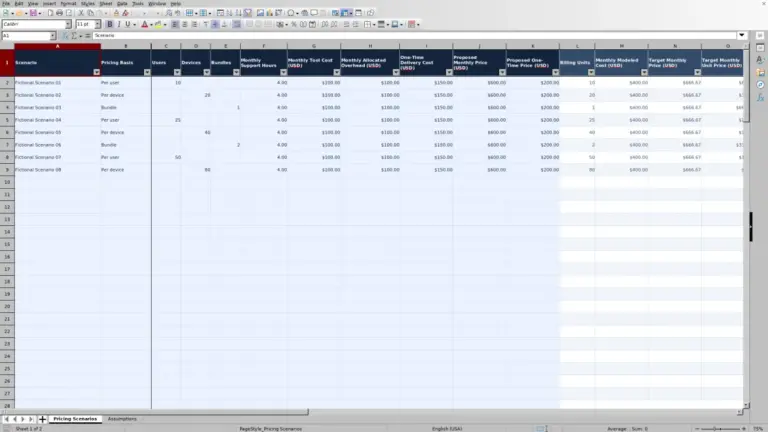
Use Finance to separate recurring fees, labor assumptions, license costs, and one-off work. Label per-user and per-device prices before comparing them.
What evidence closes the milestone?
Use Projects to track dependencies, planned effort, sign-off, and handover. Keep change approvals separate from an engineer’s completion notes.
From library to working copy.
Keep your operational systems as the source of truth.- 01
Find the task
Search or choose a workflow. Counts show published documents only.
- 02
Read the details
Check the listed sheets, previews, required inputs, and workbook limits.
- 03
Save a copy
Keep the original. Replace illustrative data with approved, minimal inputs.
- 04
Test your changes
Check a known case after editing formulas, units, rates, or references.
Make the assumptions visible
Useful to your team. Safe to share.
Agree on a reporting period, customer identifier, service boundary, and unit of measure before entering data. Device counts, billable users, tickets, and supported locations are not interchangeable. Keep estimates separate from recorded effort, and document what is excluded.
A workbook can help organize a review; it is not your PSA, RMM, password manager, or evidence repository. Use internal references rather than passwords, recovery codes, sensitive security findings, or unnecessary personal information.
About MSP Sheets → · Report a workbook issueBefore you download
A few practical questions.
What does MSP mean here?
An external managed IT service provider. This library is about delivering and managing IT services for customers, not staffing vendor management or general employee administration.
Which downloads are available now?
Only published files appear in the library. A category without published files describes its intended scope, not a download that is already available.
Can a workbook connect to our service tools?
Do not assume an integration. Read the individual file description for supported behavior. A place to record a ticket reference is not a live connection to a PSA or RMM platform.